01 / Navigate
Two panes. One decision.
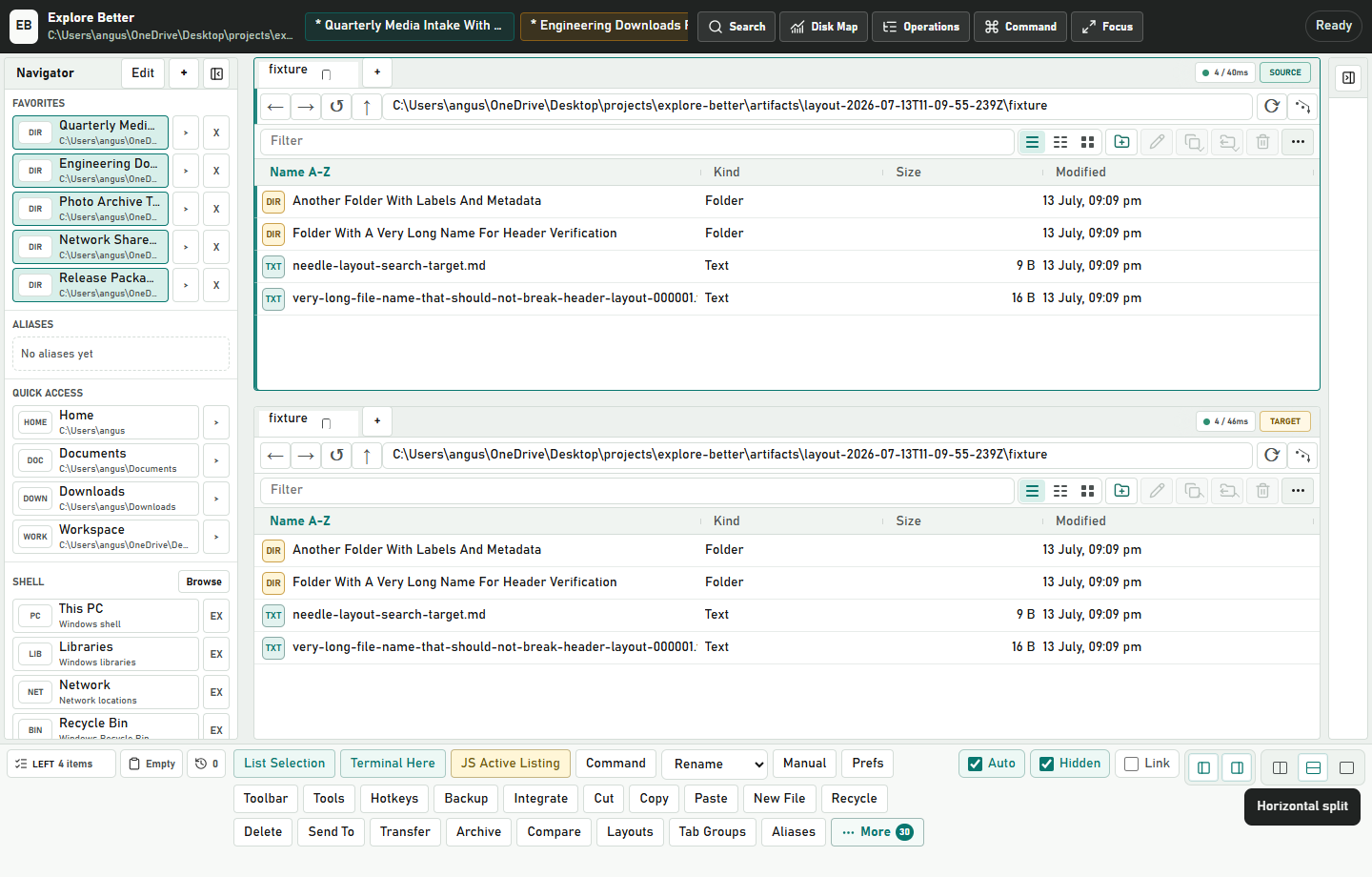
Keep source and destination visible, with independent tabs, filters, history, selection, and layouts.
 Explore Better
 Download
Windows 11 / Local-first / Read-only by default
Browse, search, analyze, and move files at speed—then let Codex work in the exact pane and folder already open.
No pasted paths. No terminal scraping. No guessing which window you meant.
One Windows workspace / Files + terminal + AI
Search across drives, expose wasted space, preview file moves, open a real terminal, and give Codex the exact working folder—without rebuilding context.
Your files stay localA better file manager before the AI even arrives
Replace the pile of Explorer windows, path rebuilding, separate disk tools, and blind file operations with one inspectable workspace.
Keep source and destination visible, with independent tabs, filters, history, selection, and layouts.
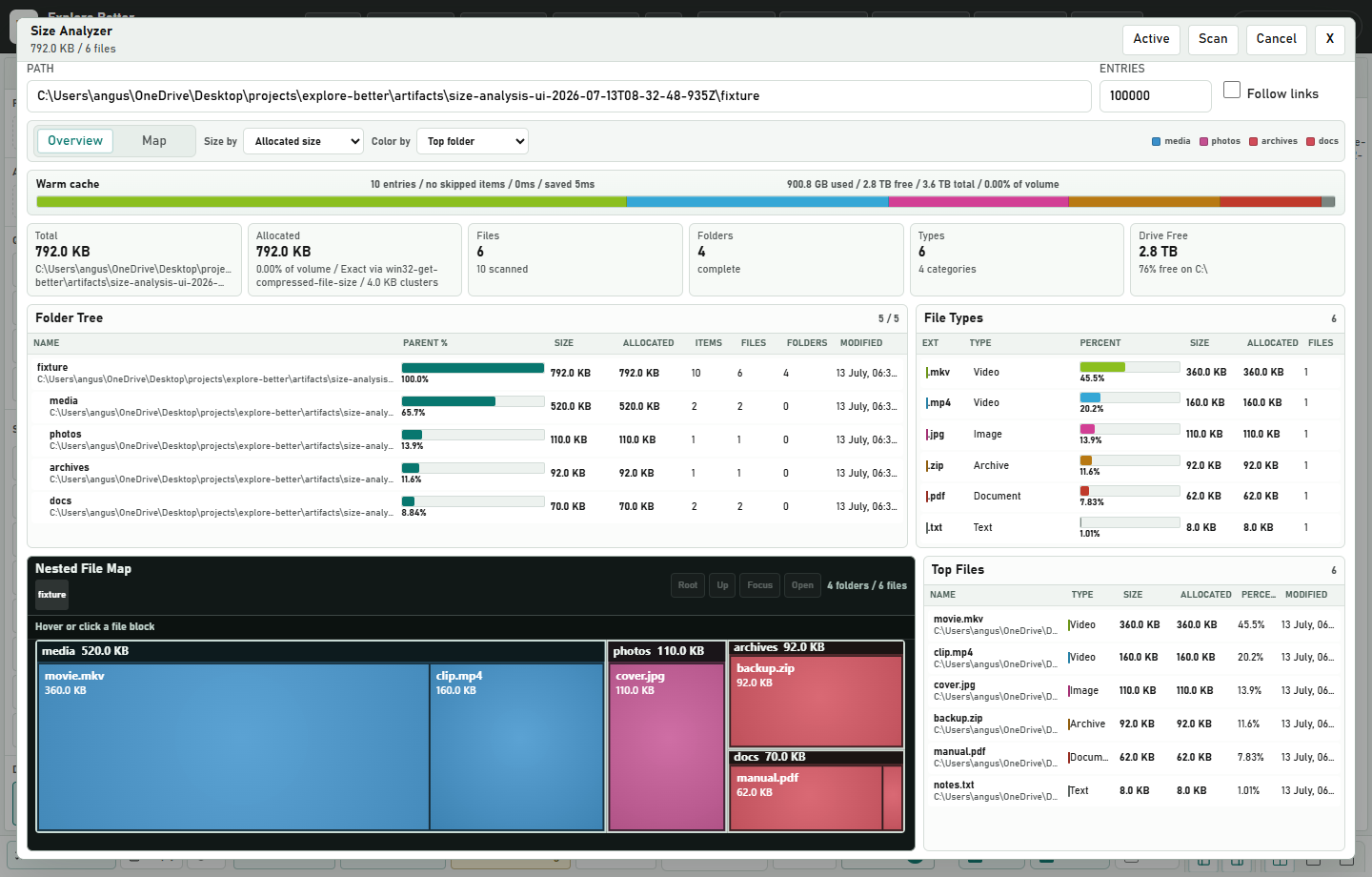
Move from total volume usage to the exact file with logical and allocated bytes kept distinct.
Preview conflicts, stage work safely, recover after interruption, and keep undo evidence.
Every file tab can own a persistent ConPTY terminal. Open it when needed; stop rebuilding paths by hand.
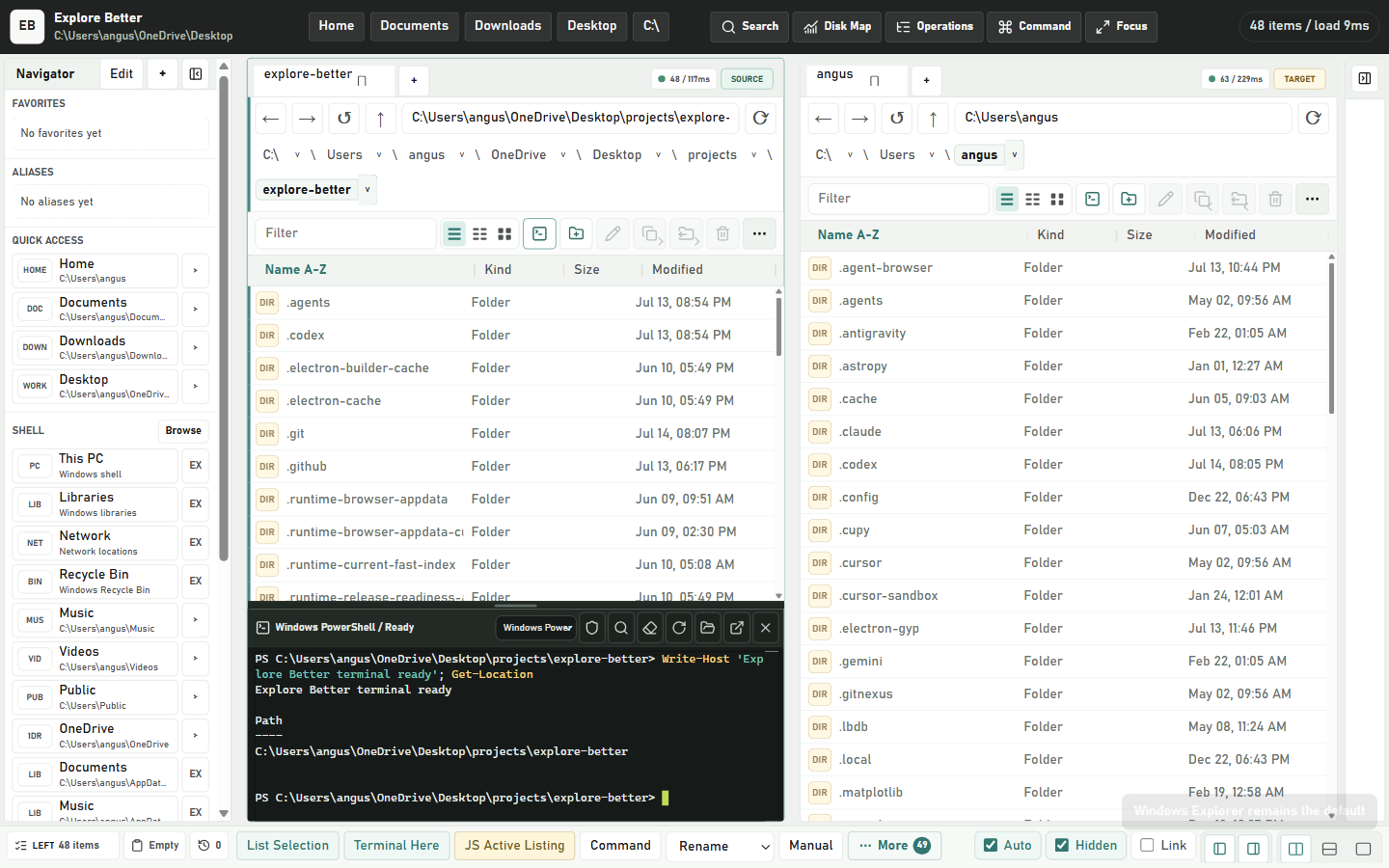
One workspace / two operators
Explore Better turns the visible pane, tabs, selection, and authorized roots into structured local context. Your AI can find, inspect, compare, and reveal files without being handed a general-purpose shell.
Find the launch README in the folder I have open and show it here.
 Found and revealed—without a pasted path.
Measured on the same Windows fixture
The app does not make the model think faster. It makes the file work around the model immediate, structured, and bounded.
9.8 ms through the running host versus 536.1 ms for a fresh PowerShell baseline.
130.4 ms to group content duplicates versus 580.5 ms for the comparison pipeline.
72.3 ms through the Analyzer path versus 445.4 ms for the comparison script.
403.3 ms median to the first visible window while rendering only the work on screen.
Benchmarks are evidence, not universal speed claims. A warm persistent shell may be faster than the fresh PowerShell baseline; hardware, volume, security software, and directory contents also change results.
Read the method and raw evidence
Local should still mean controlled

The AI Bridge exposes file-manager tools, not arbitrary command execution or terminal control.

Authorize only the roots a client needs, then revoke that profile without disturbing the others.

Write access requires a current plan and one-use token before it reaches the recoverable operation queue.
Download / verify / run
Explore Better is a free, open-source public preview distributed through GitHub. The installer hash is published, normal use needs no administrator access, and Windows Explorer remains available.
Download Explore Better v0.2.3
Windows x64 / 107.7 MiB / Per-user installer / GitHub Release
Verify before opening
SHA256SUMS.txt
Get-FileHash .\ExploreBetter-0.2.3-x64-setup.exe -Algorithm SHA256
fc785fdaadda047f203946d916cf63306ee7db54b088ff94da5eec66ea72464b
Windows may open a “Windows protected your PC” dialog naming this installer and listing the publisher as unknown. Confirm the filename and SHA-256 above before deciding whether to use More info and Run anyway. Never disable SmartScreen globally.